New article
Recently updated
How to hide a Workbench Alias

Please note that this process will need a restart of the Workbench services which will disconnect all users. Therefore it is best carried out during downtime or out of hours.
On the Workbench server run the Workbench Configuration Manager and click on the Aliases tab.
Click on the alias name you wish to hide and then click the [Workbench] button.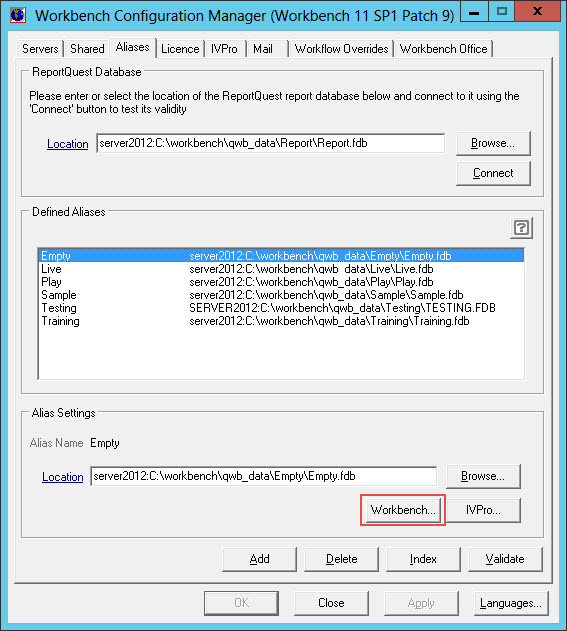
Uncheck the 'Alias visible in Workbench client?' checkbox and then click [OK].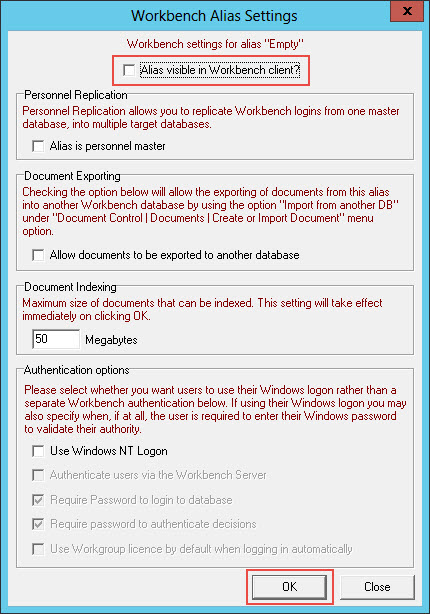
On the Workbench Configuration Manager click the [OK] button and then click [Yes] to restart the services.
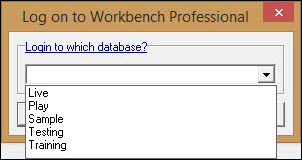
When users log into Workbench the alias will now be hidden.