


New article
Recently updated
Approving a Schedule of Tests

Notifying the Approver
Once the sequence of tests has been scheduled, the nominated User required to Approve this schedule of tests, as defined in the Test Template, will be notified in Task bar and by e-mail.
Double click on the task, or e-mail, or select from the menu item.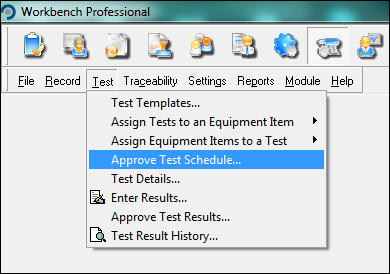
Approving the Schedule
This will present a list of the test schedules which require the user to Approve.
Select the Test Schedule and you will be presented with the list of tests that form this Schedule.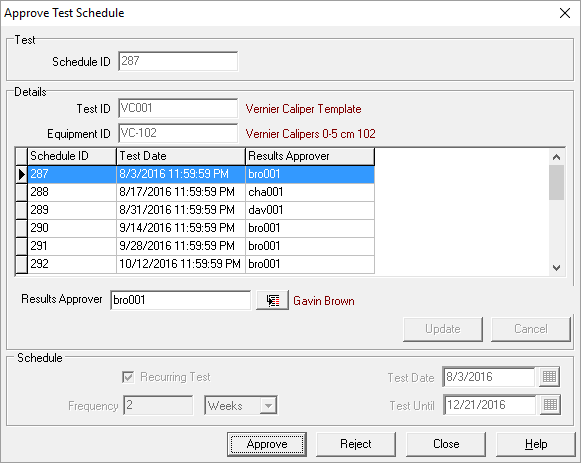
At this stage you may change the individual user assigned as Result Approvers of each test
Once happy that all the tests are as required, then select [Approve] to approve the tests schedule.