


New article
Recently updated
Processing a Complaint Corrective Action

A corrective action needs to have been created before it can be processed, which can be done form either the Tasks box or menu. For the purpose of this article, the menu has been used. From the Customer Care module select [Control] [Process Corrective Action...] from the menu.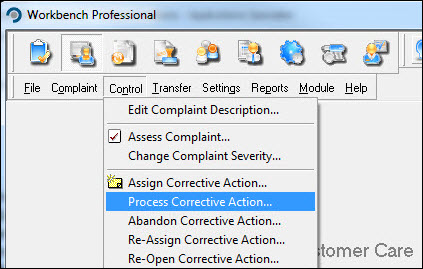
Locate the action from the list displayed and press [OK].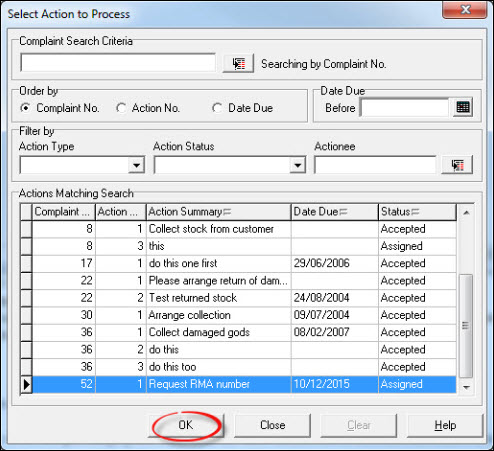
The action can be rejected at this point so, if when reviewing the information, the action is found to be incorrect, press [Reject]. Otherwise press [Accept].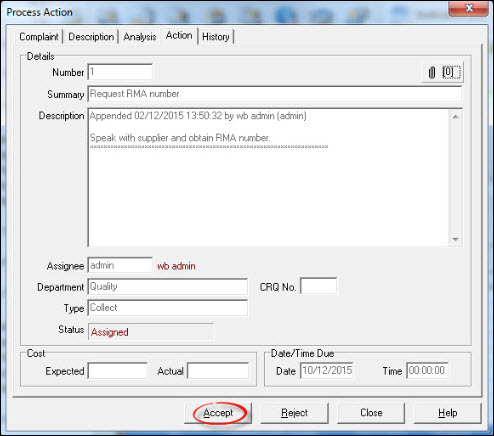
Respond [Yes] to the "Confirmation" message.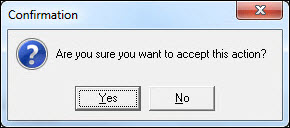
Process further actions or press [Close] to return to the Workbench Desktop.