New article
Recently updated
Displaying a Webpage from the Workbench Desktop

Workbench allows for a web page to be displayed from the main desktop. The following steps explain how to enable this.
Once logged in to Workbench, select [File] [User Preferences...] from the menu.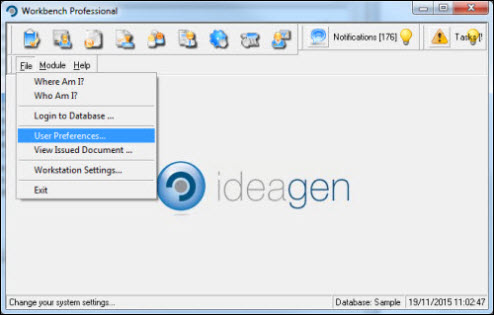
Select the [Workflow Settings] tab and expand the [Display Options] section of the Workflow Settings.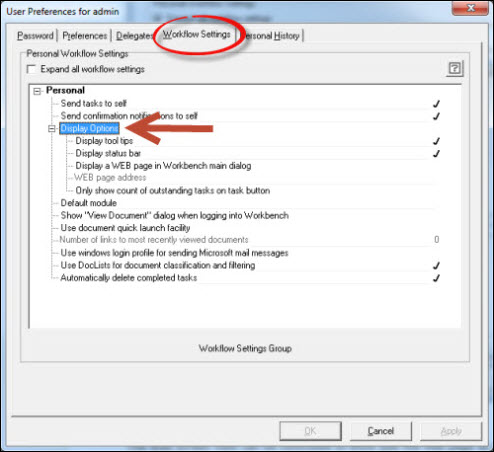
Enable [Display a WEB page in Workbench main dialog] by ticking the Use this workflow setting box.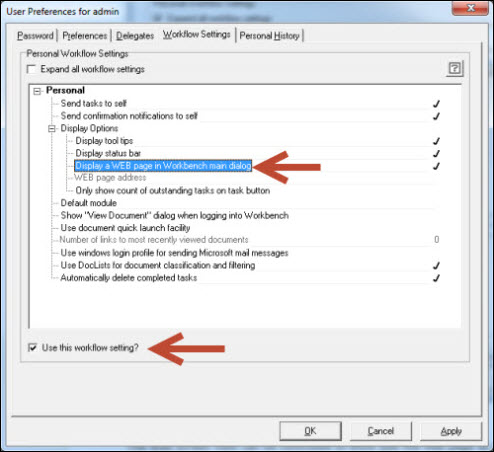
Highlight the [WEB page address] workflow and enter a URL into the Setting value box. Press [Apply]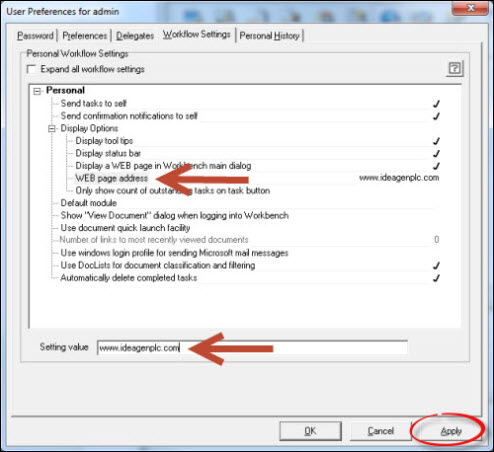
Respond [OK] to the Information message.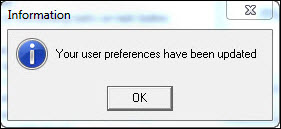
Press [Cancel] to exit from the [User Preferences for...] window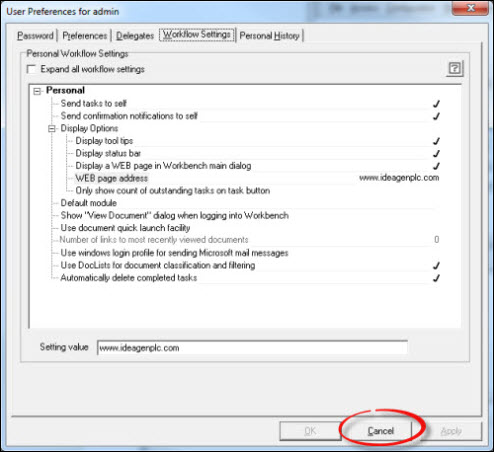
The Web Page will now be displayed in Workbench's Desktop.