


New article
Recently updated
Assigning a Complaint Corrective Action

A complaint has to have been raised and assessed to allow Corrective Actions to be assigned. Depending if Business Rules are used, actions can also be assigned from the Tasks box. For the purpose of this article, the menu items are used.
From the Customer Care module select [Control] [Assign Corrective Action...] from the menu.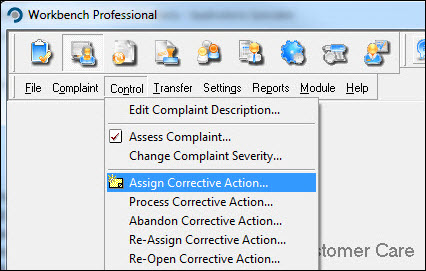
Locate the complaint from the list displayed and press [OK].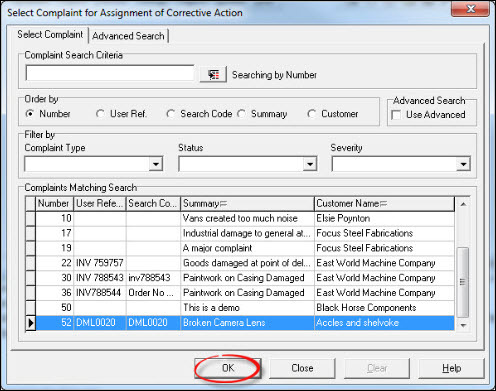
Press [New].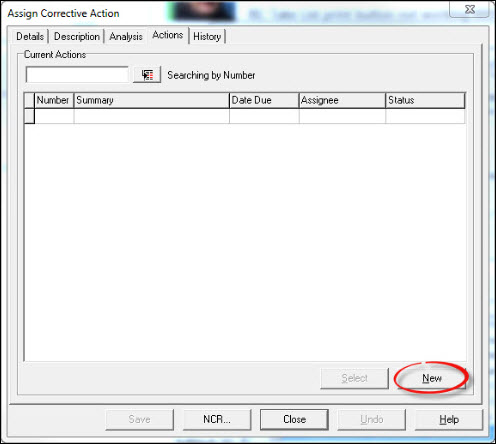
Complete the action form and press [Save].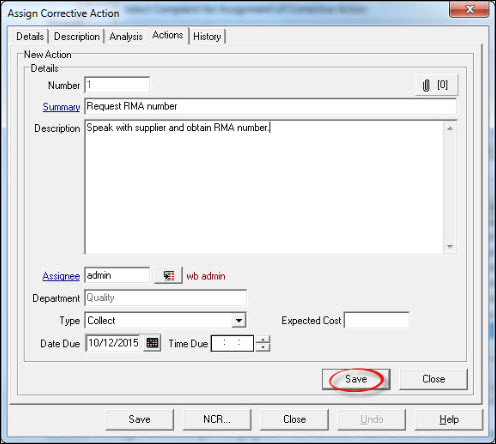
Assign further actions if required or press [Close]. From the "Assign Corrective Action" window press [Save].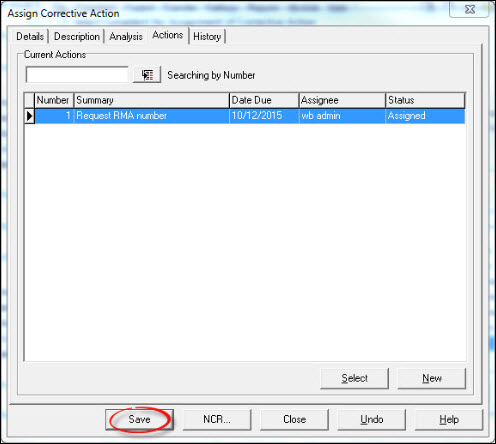
Close the "Select Complaint for Assignment of Corrective Action" window to return to the Workbench Desktop. Assignment is now complete, but it is still possible to assign further actions by repeating the process.