New article
Recently updated
Signing off a Nonconformance (NCR) Corrective Action

A Corrective Action must be completed before it can be signed off. Depending whether Business Rules are used, actions can also be signed off from the Tasks box. For the purpose of this article, the menu items are used.
From the Nonconformities module, select [Control] [Sign off Corrective Actions] [Sign off Corrective Action...] from the menu.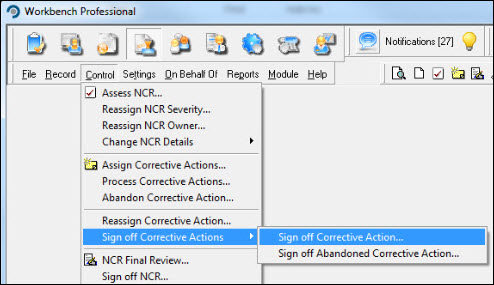
Highlight the action from the list displayed in the "Select Corrective Action for Sign-off" window and press [Select].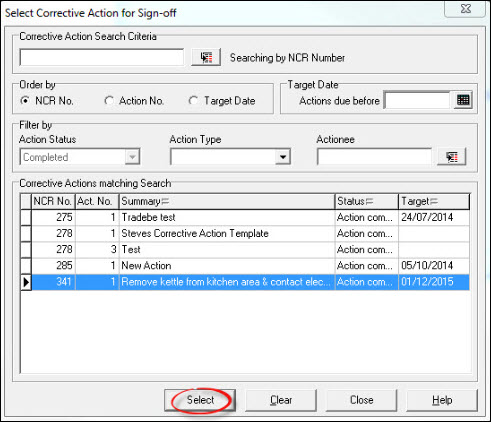
Verify the information added to the action is correct and press [Sign Off]. The action can be rejected at this point simply by pressing the [Decline] button.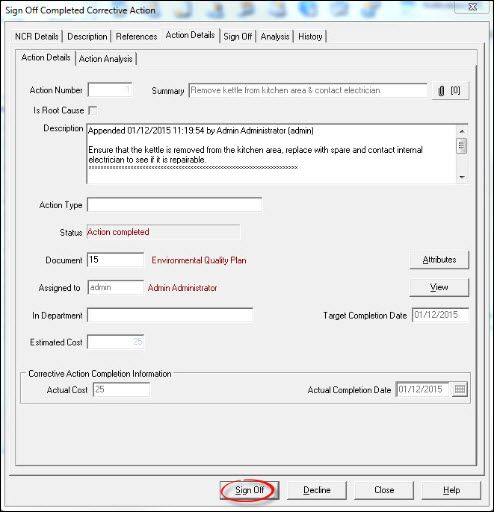
Enter a password and press [OK].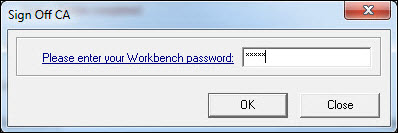
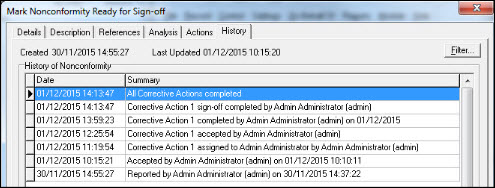
The sign-off is complete. Select another action to sign-off from the list or press [Close] to return to the Workbench Desktop. A entry is added to the NCR's history, for audit purposes.