


New article
Recently updated
Switching off Notifications

From the Workbench Desktop select [Module] [System Manager] from the menu.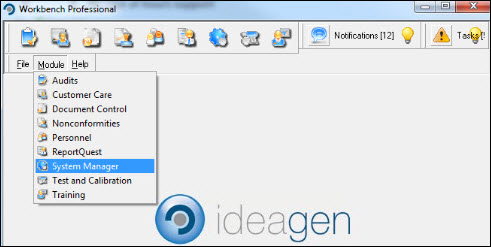
Select [Configuration] [Workbench Configuration Centre].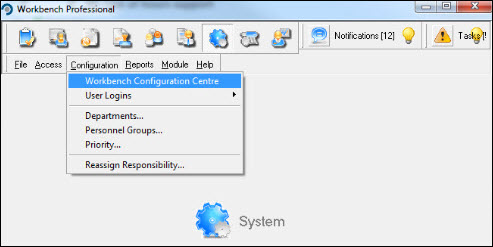
Select the Notifications tab.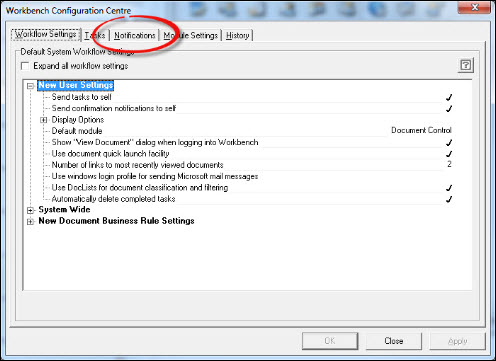
Locate the module to which the Notification relates. For the purpose of this article, it is Document Control. If you wish to switch off all notifications for the module, highlight it and remove the tick from the Send notifications for this module tickbox. Press [Apply].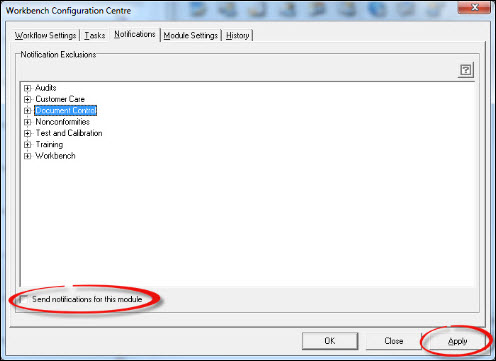
Respond [OK] to the Information message.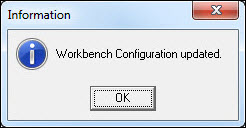
Press [Close] to exit from the Workbench Configuration Centre. If it is just specific Notifications within a module that require supressing, expand the module by clicking the + symbol next to it. Using the scrollbar, locate the message, highlight and remove the tick from the Send notification's of this type? box. Repeat for further notifications. When done, press [Apply].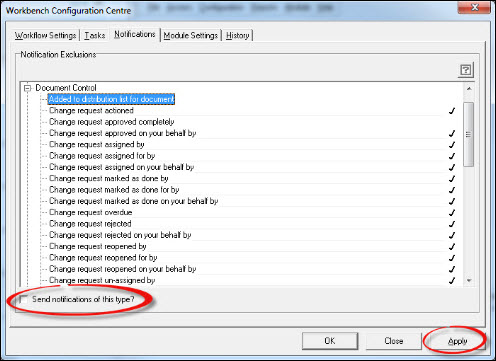
Respond [OK] to the Information message.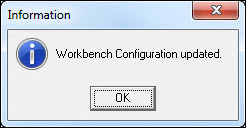
Press [Close] to exit from the Workbench Configuration Centre.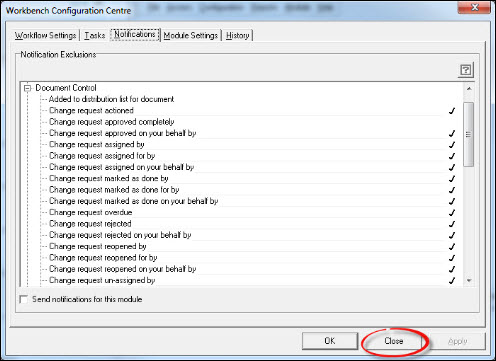
Notifications will no longer be sent for the routines and/or modules selected.