New article
Recently updated
Reporting a Non-conformance (NCR)

From the Nonconformities module select [Record] [Report NCR...].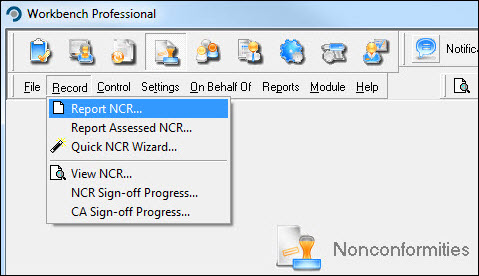
Complete the appropriate fields on the [Details] tab paying particular attention to mandatory requirements (blue, underlined fields). Select the [Description] tab.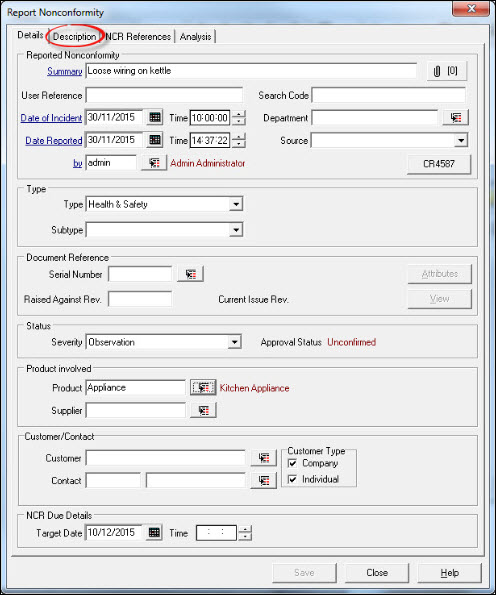
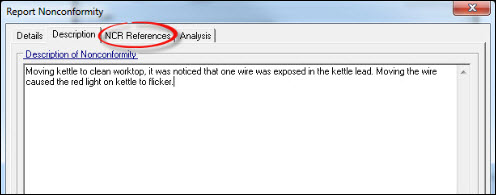
Describe the Nonconforming event (this is mandatory) and select the [NCR References] tab.
NCR References provide the option of referencing one or more previously reported NCR's by clicking the [Search] button alongside the NCR field. Alternatively, if the number of the NCR is know, it can be entered directly into the field. Select the [Analysis] tab.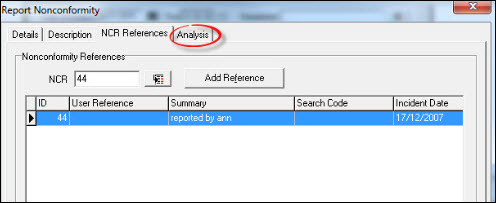
Depending how Workbench has been configured, analysis may be a mandatory requirement. Select as appropriate and press [Save].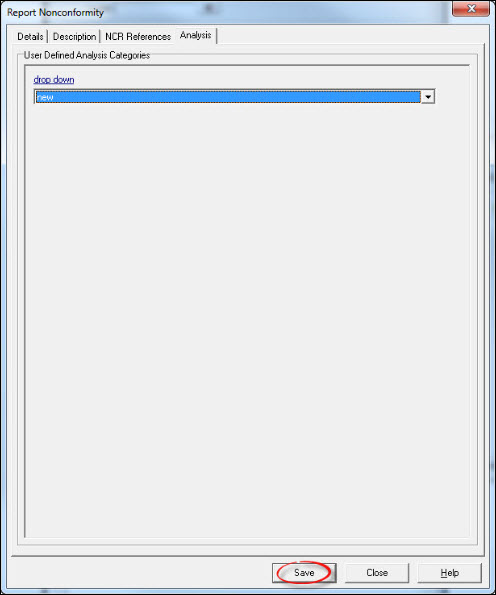
The resulting information message displays the NCR number. Press [OK].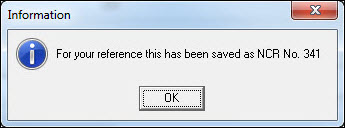
Press [Close] to exit from the "Report Nonconformity" window. The NCR has now been created and is ready to be processed.