New article
Recently updated
Withdrawing a Nonconformity (NCR)

A Non-conformance must have been signed off before it can be withdrawn. Withdrawn nonconformities are retained in Workbench and may still be viewed from [View Withdrawn NCR...]. They are assigned Closed status but their details may be used for reporting purposes. This action is driven from the menu only - no task is sent to the Owner.
From the Nonconformities module, select [Control] [Withdraw NCR...] from the menu.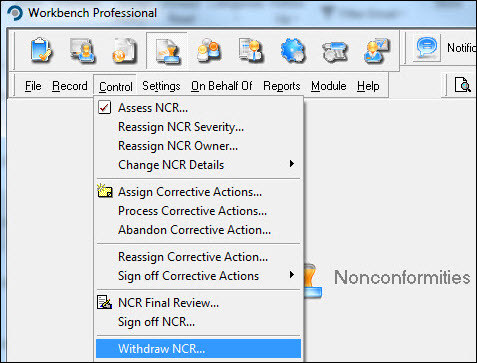
Highlight the NCR from the list displayed in the "Select NCR to Withdraw" window and press [Select].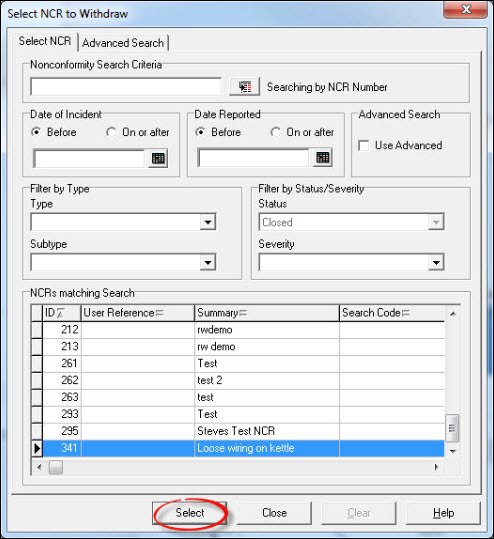
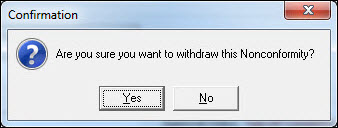
Press [Withdraw] and respond [Yes] to the Confirmation message.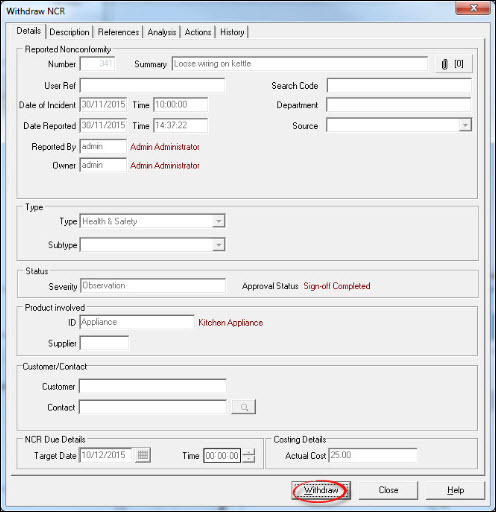
Enter a password and press [OK].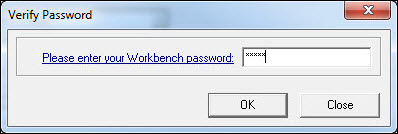
Select another NCR to withdraw or press [Close] to return to the Workbench Desktop. As it is not possible to audit the NCR from its history, it is possible to create a report that shows the details. From the Nonconformities module, select [Reports] [NCR Details...].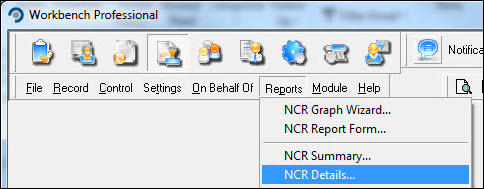
If the NCR number is known, enter it into the Number field. If it is not known filter on Status = Closed. This action will retrieve a list of all NCR's marked as closed - if this is too much data various filters exist on the report that allow it to be refined. Press [OK] to run the report.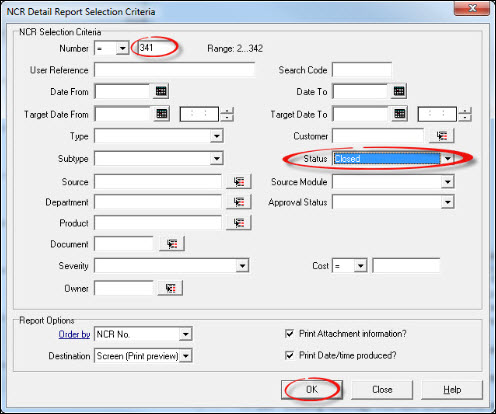
Respond [Yes] to the warning message.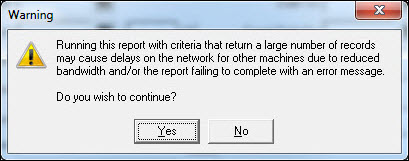
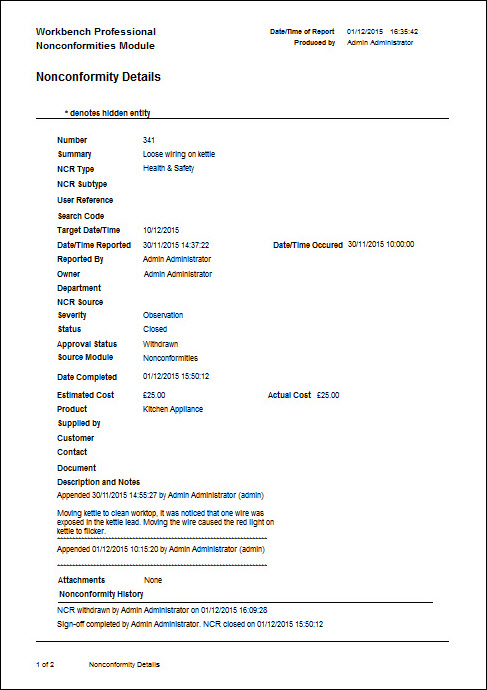
The report will be displayed.