


New article
Recently updated
Processing a Complaint through its Final Review

When all actions have been completed and signed off, a complaint passes into its final review stage. This provides the owner or administrator an opportunity to review the complaint and also add/amend attachments or change the Product, Type, Actual Cost and Department fields. Information on the [Description] and [Analysis] tabs can also be amended. This process can be completed from the Tasks box or the menu. For the purpose of this article the menu is used.
From the Customer Care module select [Control] [Complaint Final Review...].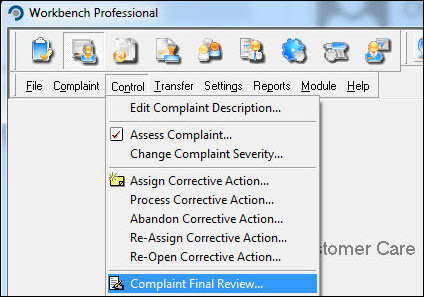
in the "Select Complaint to Review" window, choose the complaint from the list and press [OK].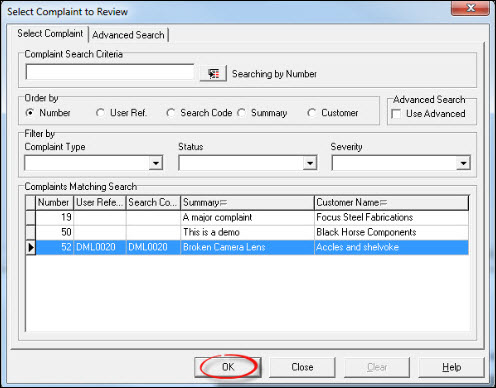
Undertake final review and press [Complete].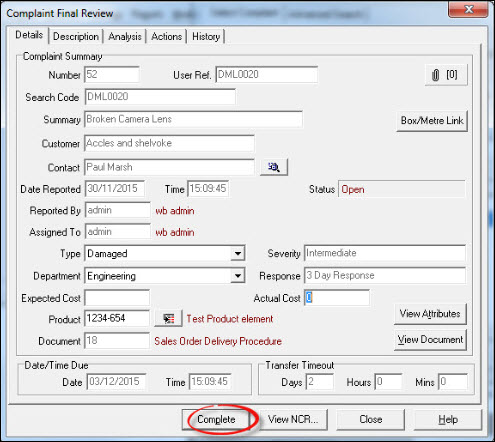
Respond [Yes] to the "Confirmation" message.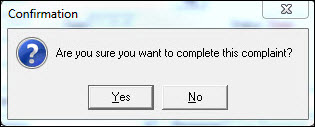
Press [OK] to review another complaint or [Close] to return to the Workbench Desktop.