


New article
Recently updated
Assessing a Complaint

|
Assessment can only be carried out once a complaint has been raised. This is a fairly rigorous stage in the complaint life cycle as most of the information entered becomes 'set in stone' once assessed. Depending if Business Rules are used, the complaint can be assessed either from the Task Box or [Assess Complaint...] from the [Control] menu. For the purpose of this article, the menu is used. Select [Control] [Assess Complaint...].
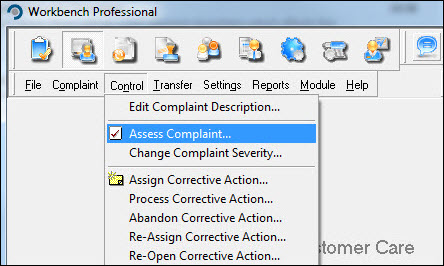 Locate the complaint from the list displayed and press [OK]. 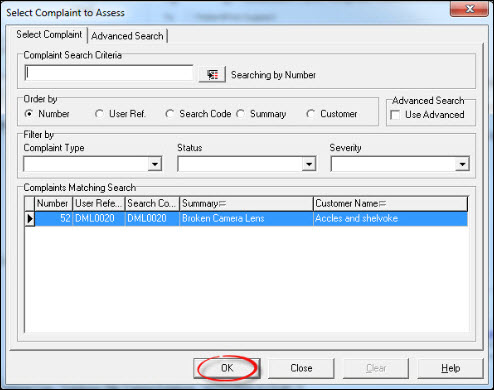 Review the information on the [Details], [Description] and [Analysis] tabs, amending if necessary. If the complaint is no longer required it can be rejected at this stage, via the [Reject] button. Assuming all is OK, press [Accept]. 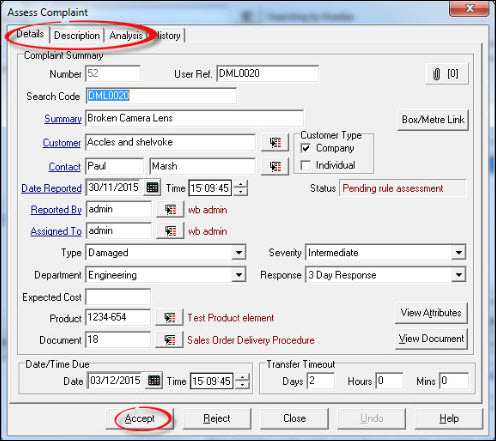 Respond [Yes] to the "Confirmation" message. 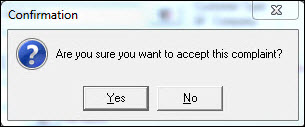 Enter a password and press [OK]. 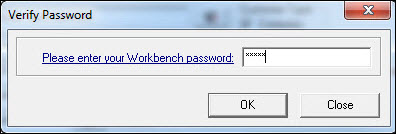 The complaint has now been assessed and information pertaining to it can be viewed from the complaint history. Press [Close] to return back to the Workbench Desktop. |