


New article
Recently updated
Signing off a Complaint

A complaint must have undergone final review to allow it to be signed off. The action can be carried out from the Tasks box or menu item. For the purpose of this document the menu was used. Once a complaint has been signed off it cannot be reopened.
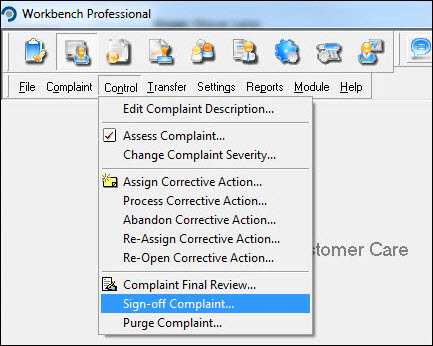
From the Customer Care module select [Control] [Sign-off Complaint...].
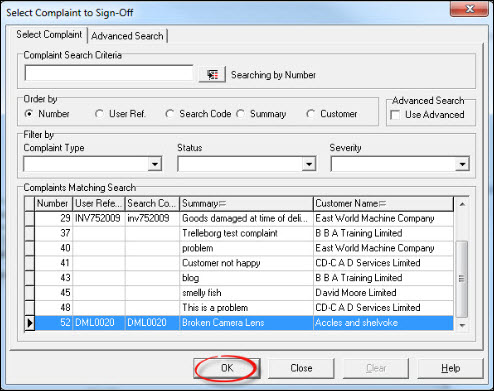
Locate the complaint from the list displayed and press [OK].
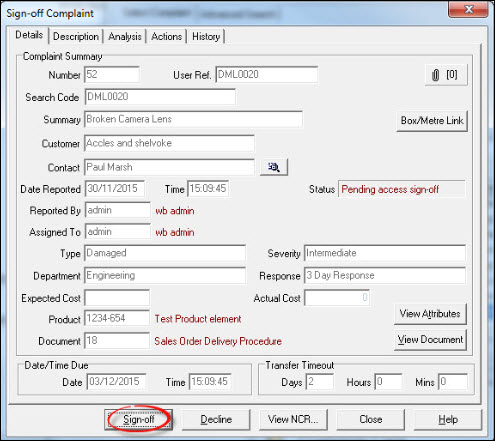
Assuming that the complaint has been dealt with satisfactorily, press [Sign-off]. If sign-off is declined the complaint moves back to the Assign Corrective Action stage and any previously completed actions will become active again.
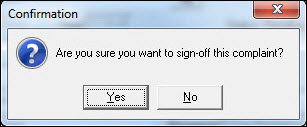
Respond [Yes] to the "Confirmation" message.
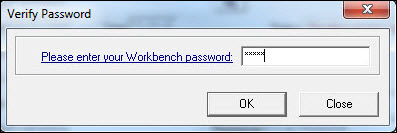
Enter a password and press [OK].
The complaint is now signed off. Select further complaints or press [Close] to return to the Workbench Desktop.