New article
Recently updated
Reporting a Complaint

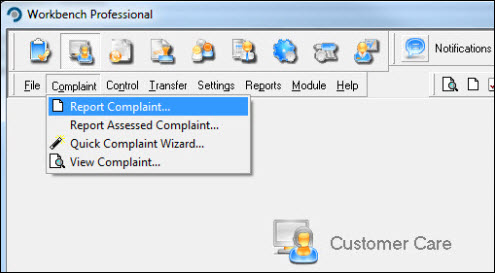
From the Customer Care module select [Complaint] [Report Complaint...].
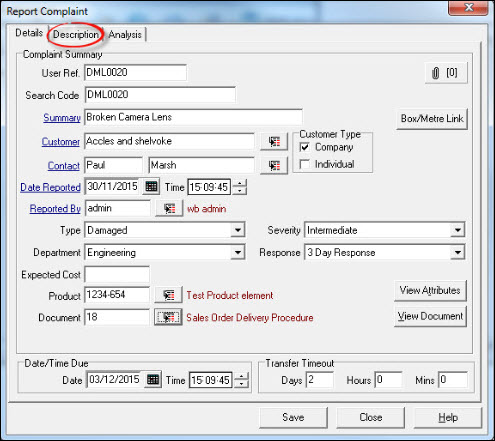
Complete the Complaint Details form paying particular attention to mandatory fields (those shown as blue, underlined). Select the [Description] tab.
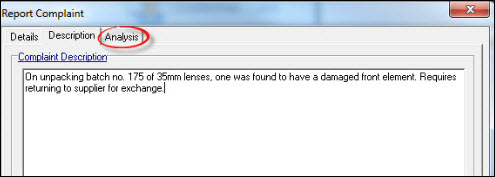
Complaint Description is a mandatory requirement. Add a full description of the complaint and select the [Analysis] tab.
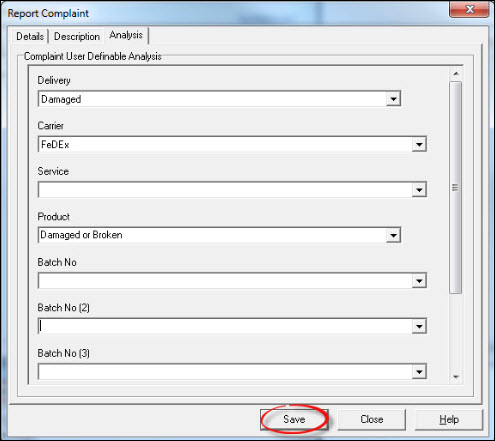
Depending how Workbench has been configured, analysis may be mandatory. Proceed to complete relevant fields and press [Save] when done.
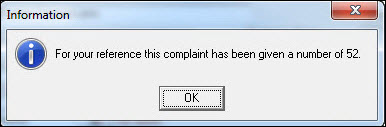
The resulting "Information" message shows the complaint number. Press [OK].
The complaint has now been raised and is ready for processing. Press [Close] to return back to the Workbench Desktop.