New article
Recently updated
Application Pool settings in IIS for Workbench Office

On the Workbench server open Internet Information Services (IIS), expand the server and then click on [Application Pools]. Click the [Workbench Office Application Pool], and then in the Actions panel click on [Advanced Settings].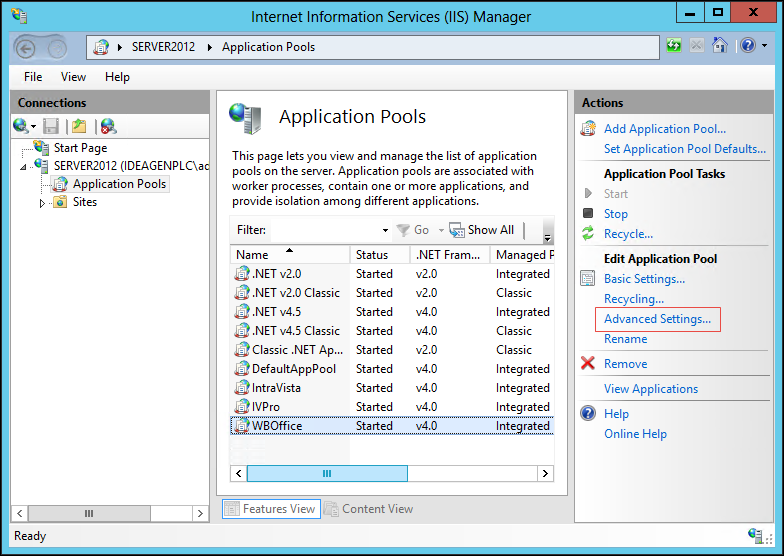
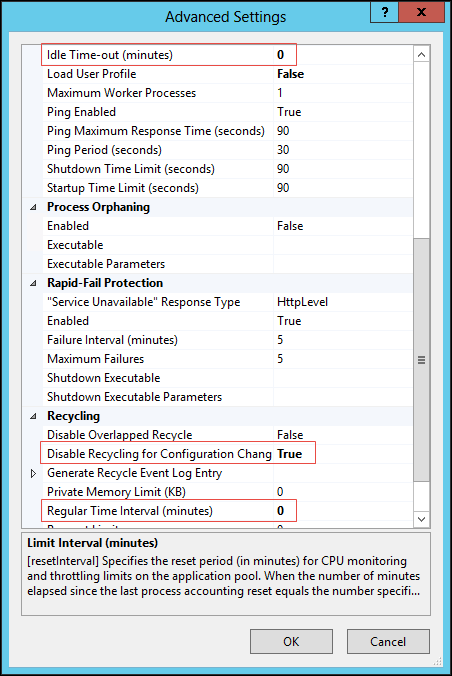
Set the following values:
Idle Time-out (minutes) = 0
Disable Recycling for Configuration Change = True
Regular Time Interval (minutes) = 0
Click [OK] and then in the Actions panel click [Recycle].